
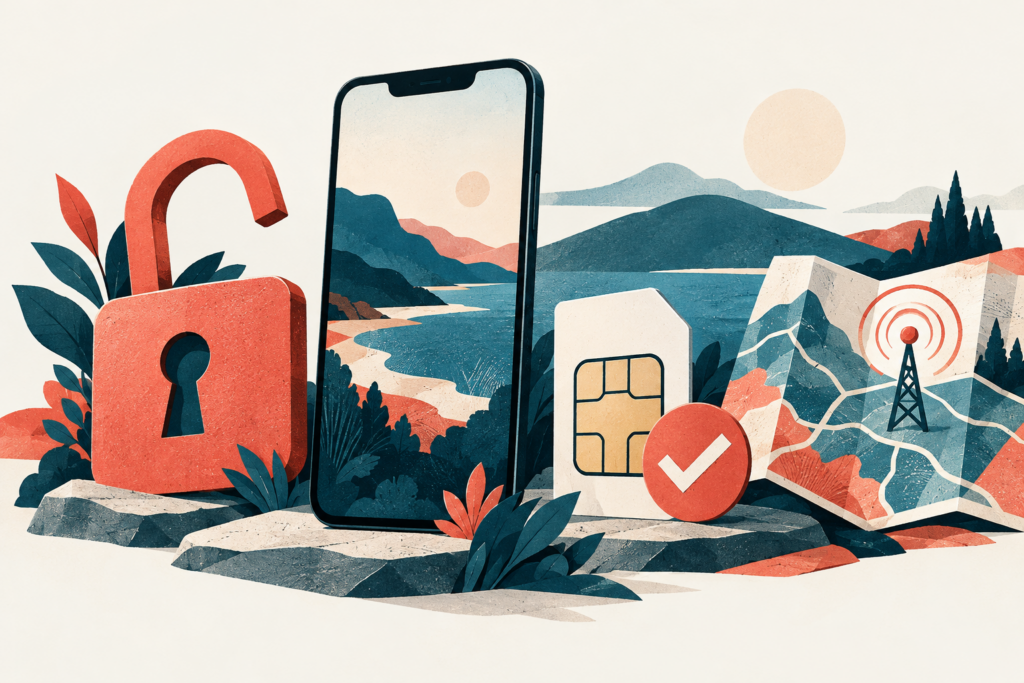
A phone can be unlocked and still be a poor fit for a different carrier. It can be compatible with a network and still deliver disappointing service in the building where you work. It can also pass those checks while lacking a feature you assumed would transfer with it.
Those outcomes make more sense when you separate three questions: whether the device is allowed to use another carrier, whether that carrier supports the exact device, and whether the service works where you need it. Checking them in that order can prevent an unnecessary phone purchase or a rushed plan change.
Identify the phone precisely
Write down the device’s exact model information before asking a carrier whether you can bring it. A familiar product-family name may cover different versions sold in different places. Use the identifying details requested by the receiving provider’s compatibility process.
Keep those details private when appropriate. A device identifier belongs in a provider’s official checker or support channel, not automatically in a public forum post. If you are buying a secondhand phone, ask the seller for the information needed to verify it before completing the purchase.
Also identify the features you actually use. Your list might include calling, text messages, mobile data, hotspot use, Wi-Fi calling, accessibility features, or a connected watch. A general statement that the phone works does not explain whether each of those needs is covered.
Understand what a carrier lock tells you
A carrier lock is one question about using a device elsewhere. It is not a complete description of the phone’s hardware or the receiving network’s support. Ask the current carrier about the device’s lock status and the conditions that apply to any unlock request.
For iPhone users, Apple’s carrier-unlocking instructions explain how to check the Carrier Lock entry and state that the carrier, rather than Apple, handles the unlock. Follow the instructions appropriate to your device. A device passcode problem is a different issue from a carrier restriction.
Wait for confirmation before assuming a request has completed. Save the confirmation with the device information, then proceed with the receiving carrier’s compatibility checks. An application submitted and an unlock completed are separate events.
Ask the receiving carrier about the exact device
Use the carrier’s own bring-your-device process and provide the information it requests. Record the result, the date of the check, and any qualifications attached to it. If support gives an answer that differs from the online checker, ask how to reconcile the two before purchasing service.
A compatibility conversation should cover the features on your list, not only basic activation. Ask about the SIM arrangement, setup instructions, and any feature limitations relevant to your handset. You do not need to understand every radio specification to insist on an answer about the service you expect to use.
For a secondhand device, check its condition and status as well. Compatibility cannot compensate for a damaged charging port, a failing battery, or a device the provider cannot accept. Review the seller’s return conditions before relying on a trial to discover those problems.
Treat eSIM as an activation question
An eSIM option does not eliminate the need to check the phone and account. Confirm that the receiving provider supports your exact device and the intended activation method. Ask which steps must be completed while the old service is still available.
Read the provider’s setup instructions before deleting an existing profile or discarding a physical SIM. Keep a practical way to contact support if setup stops partway through. Device activation and moving a phone number can happen within the same order while still requiring separate confirmations.
If you use more than one line on the handset, identify which line is being changed. Make sure that a change intended for one number does not become an accidental interruption to another. Ask how calls, messages, and mobile data will be assigned after setup.
Read a coverage map for the question it can answer
Begin with the places where you expect to use mobile service: home, work, a regular commute, and other important locations. A broad national claim is less useful than a location-specific question about your ordinary week.
The FCC’s guide to its National Broadband Map explains how to select the mobile layer and compare provider-reported coverage. It also explains that the mobile coverage shown concerns outdoor or in-vehicle conditions, rather than indoor reception. That boundary matters when your main concern is a basement office or an apartment interior.
Keep the map’s displayed data date with any comparison notes. Coverage information can change, and a saved image without its context can be difficult to interpret later. Use the map to develop questions for the provider, not to promise yourself identical performance everywhere inside a shaded area.
Turn a trial into a useful test
If a provider offers a trial or return period, read the conditions before starting. Check any payment, cancellation, equipment-return, and timing requirements. Decide which locations and services you will test while the option is still available.
Test ordinary use rather than collecting the single fastest speed result you can find. Try a call in the place where you usually make calls, a message when you need one, and the data tasks you regularly perform. Record the time, place, device, and relevant settings when a problem occurs.
Separate the services involved. A successful Wi-Fi session does not demonstrate mobile-data coverage. A browser loading over mobile data does not establish that incoming calls or voicemail are configured correctly. Simple, repeated checks can produce a more useful picture than one impressive result.
Plan the purchase around unresolved questions
Before buying a replacement handset, ask what problem the purchase is meant to solve. If the issue is a carrier lock, a different phone might be unnecessary once the carrier has addressed it. If the issue is poor local coverage, another device on the same service may not resolve the situation you are trying to fix.
Keep device cost separate from service cost when comparing options. A promotional handset can make a plan feel inexpensive while tying part of its value to conditions over time. Write down the agreement, expected credits, and return terms that apply to the actual purchase.
The collection’s earlier discussion of switching carriers with an old phone offers historical context. For a current decision, use the exact device and provider checks described here rather than treating an older model’s experience as a promise about yours.
Keep a short record of the three checks
If more than one household member is moving, keep a separate device record for each person. Phones with similar names may have different versions, lock states, or physical condition. Reusing one successful check for every handset can conceal a problem until activation day. Match each confirmation to the actual device and line that will use the proposed service.
Finish with a note for each question: carrier-lock status, receiving-carrier compatibility, and service at the locations that matter. Attach confirmations or instructions where you have them. Mark an unanswered question as unresolved instead of turning it into an assumption that everything will work.
That record makes the next step clearer. You can request an unlock, ask a more specific compatibility question, or test a coverage concern without confusing those tasks. When you are ready to coordinate the whole move, use the carrier-switching checklist to connect the device work with billing and number-transfer arrangements.